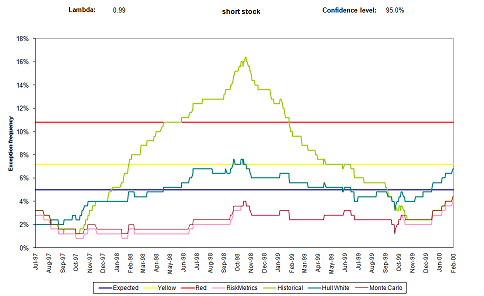
The chart should sits in almost all the pdf file (chart.pdf). At least it's how I manage my figures. Here I give you an example, [url=/User%20Files/593/locvols.pdf]Attached File: locvols.pdf[/url] . You can include it using
\includegraphics[scale=0.5]{localvols.pdf}. I get the following result (which for me is satisfactory). HTH
[img]/User%20Files/593/Result.jpg[/img]
LaTeX graphics (JPEG) problems
-
Eldesdichado

- Posts: 0
- Joined: Thu Jan 01, 2004 12:00 am
LaTeX graphics (JPEG) problems
I am the dark one, -the widower; -the unconsoled, The prince of Aquitaine at his stricken tower: My sole star is dead, -and my constellated lute Bears the black sun of the melancolia.
-
jungle

- Posts: 0
- Joined: Thu Jan 01, 2004 12:00 am
LaTeX graphics (JPEG) problems
Johnny, I had the same problem when using PDFs (rather than JPEGs).
it's axiomatic, deal with it.
-
Graeme
- Posts: 0
- Joined: Thu Jan 01, 2004 12:00 am
LaTeX graphics (JPEG) problems
and me too, more or less. If the file is an eps then pdflatex doesn't really seem to have an idea of how big the picture is. latex does.
Graeme West
-
Johnny

- Posts: 0
- Joined: Thu Jan 01, 2004 12:00 am
LaTeX graphics (JPEG) problems
It's a relief to hear that it's not (necessarily) me being stoopid.
So I seem to have the choice of either living with one chart per page (using pdf charts) or using some other method to handle charts. Anyone care to suggest another method that I can use? (Bearing in mind the difficulties I described elsewhere in this thread).
So I seem to have the choice of either living with one chart per page (using pdf charts) or using some other method to handle charts. Anyone care to suggest another method that I can use? (Bearing in mind the difficulties I described elsewhere in this thread).
Stab Art Radiation Capital Structure Demolition LLC
-
Baltazar

- Posts: 0
- Joined: Thu Jan 01, 2004 12:00 am
LaTeX graphics (JPEG) problems
You can always use multiple subplots in one chart if you want these plots to be together in the final document.
other trick is, iirc, creating an array and inserting the picture in the array. If i can dig my thesis, i remember using this kind of tricks but not exactly how.
other trick is, iirc, creating an array and inserting the picture in the array. If i can dig my thesis, i remember using this kind of tricks but not exactly how.
Short Oil, Long Vinegar: Salad spread
-
veroniq

- Posts: 0
- Joined: Thu Jan 01, 2004 12:00 am
LaTeX graphics (JPEG) problems
johnny,
i also had similar problems recently.
and btw i think it has something to do with the latest builds of miktex. some things that worked for me a year ago stopped working when i got the new computer and reinstalled miktex and stuff. the same file just stopped compiling properly
(i wanted to find out what had happened but i guess i just didn't have time at some point and simply gave up. will come back to it later..)
i also had similar problems recently.
and btw i think it has something to do with the latest builds of miktex. some things that worked for me a year ago stopped working when i got the new computer and reinstalled miktex and stuff. the same file just stopped compiling properly
(i wanted to find out what had happened but i guess i just didn't have time at some point and simply gave up. will come back to it later..)
-
Johnny
- Posts: 0
- Joined: Thu Jan 01, 2004 12:00 am
LaTeX graphics (JPEG) problems
Very interesting. Lots of people all having similar problems. Anyone that comes up with good answers to this is going to be very popular! 
Stab Art Radiation Capital Structure Demolition LLC
-
Graeme
- Posts: 0
- Joined: Thu Jan 01, 2004 12:00 am
LaTeX graphics (JPEG) problems
We came up with a new trick this fine morning - from excel, print the graph to a pdf file using pdfwriter (freeware). Then include the pdf in pdflatex.
Our only gripe is that there is quite a bit of space around the graph when printed to the pdf. This then is reflected in the pdflatex output. I guess you could edit it if you have the higher grade (expensive) adobe software.
You can also (we did this to test a theory, not proposing it as long term strategy) select and copy the graph in adobe (called the snapshot tool in adobe 8), paste in paint, save as a jpg, convert to ps, and include using epsfig in ordinary latex.
The theory was that the nasty shadows one gets when you select and copy in excel, paste in paint, and then further as above no longer occur, and this theory turned out to be valid.
Our only gripe is that there is quite a bit of space around the graph when printed to the pdf. This then is reflected in the pdflatex output. I guess you could edit it if you have the higher grade (expensive) adobe software.
You can also (we did this to test a theory, not proposing it as long term strategy) select and copy the graph in adobe (called the snapshot tool in adobe 8), paste in paint, save as a jpg, convert to ps, and include using epsfig in ordinary latex.
The theory was that the nasty shadows one gets when you select and copy in excel, paste in paint, and then further as above no longer occur, and this theory turned out to be valid.
Graeme West
-
JohnAd
- Posts: 0
- Joined: Thu Jan 01, 2004 12:00 am
LaTeX graphics (JPEG) problems
What seemed to work for me when I last had to do this was to create a file based postscript printer and fiddle with settings so that it outputs eps, then print the graph or whatever to this printer and let it print to A.ps then use the ghostscript batch file
eps2eps.bat A.ps A.eps
to clean it up and calculate a bounding box which then means the resulting eps works well enough with the epstopdf package and \includegraphics[width=5in]{A}
With your test files doing this starting with the eps only seems to work.
John
eps2eps.bat A.ps A.eps
to clean it up and calculate a bounding box which then means the resulting eps works well enough with the epstopdf package and \includegraphics[width=5in]{A}
With your test files doing this starting with the eps only seems to work.
John
-
M1kz

- Posts: 0
- Joined: Thu Jan 01, 2004 12:00 am
LaTeX graphics (JPEG) problems
We had the same problem a few years ago. The setup we used was MiKTeX and TeXnicCenter. The main problem for us was achieving a satisfactory picture quality, obtaining a tight box around the picture, and placing the picture where we wanted it to be on the page. To solve this, we used the command line version of the program EPS2PDF to convert the picture from EPS to PDF format (mostly Matlab-graphics saved as EPS-files).
The arguments to the figure command, eg \begin{figure}[h!] etc, together with scaling the picture to fit the document, eg \includegraphics[width=\textwidth]{pictureFileName}, were sufficient for us to get the pictures were we wanted them.
An additional command we used to get the caption closer to the picture was \setlength{\belowcaptionskip}{-10pt} .
All combined, this procedure gave us a very good picture quality, tight captions, and correctly located pictures. HTH.
The arguments to the figure command, eg \begin{figure}[h!] etc, together with scaling the picture to fit the document, eg \includegraphics[width=\textwidth]{pictureFileName}, were sufficient for us to get the pictures were we wanted them.
An additional command we used to get the caption closer to the picture was \setlength{\belowcaptionskip}{-10pt} .
All combined, this procedure gave us a very good picture quality, tight captions, and correctly located pictures. HTH.
Forget your personal tragedy. We are all bitched from the start and you especially have to be hurt like hell before you can write seriously. But when you get the damned hurt, use it-don't cheat with it.